In a nutshell: A hot wallet keeps your private keys on an internet-connected phone, computer, browser, or exchange account — convenient for everyday sends and apps, but more exposed to online threats. A cold wallet (cold storage) keeps keys offline — typically on a hardware device or air-gapped setup — so remote malware cannot reach them as easily. Most people use both: small spending balances hot, larger long-term holdings cold. Educational only; not financial advice.
Last updated: October 4, 2026. Wallet products and security practices evolve; confirm details in official docs before installing any app or device.
Searches for cold and hot wallet, hot wallet vs cold wallet, or “what’s the difference” usually want a clear comparison — not another generic “what is a wallet” overview. Wallets hold the keys that control crypto on the blockchain; they do not store coins like a leather billfold. For the basics of keys, addresses, and seed phrases, see our guide What Is a Crypto Wallet?. This article focuses on the hot-versus-cold tradeoff: connectivity, security, convenience, and when each fits.
Table of contents

Quick Answer: Hot vs Cold
The distinction is about whether the device holding your private keys stays connected to the internet:
- Hot wallet: Keys live on (or are reachable through) an online environment — mobile app, desktop software, browser extension, or a custodial exchange balance. Fast to use; higher remote-attack surface.
- Cold wallet / cold storage: Keys are generated and kept offline so they are not sitting on a phone or laptop that also runs email, browsers, and apps. Signing usually needs the physical device (or an air-gapped computer). Slower; stronger against remote malware.
Bitcoin.org’s security guidance puts it plainly: keep only small amounts on everyday devices and put savings in a safer, offline environment when practical. See Bitcoin.org: Securing your wallet.
What Is a Hot Wallet?
A hot wallet is any wallet where private keys (or the ability to spend) sit on an internet-connected system. Common forms:
- Mobile wallets — apps on your phone
- Desktop wallets — software on a laptop or PC
- Browser extensions — wallets that plug into Chrome, Brave, etc.
- Exchange / custodial balances — the platform holds keys for you (you log in; you do not hold the seed)
Hot wallets are popular because sending crypto, swapping tokens, or connecting to a dApp can take a few taps. That same connectivity is the main risk: malware, phishing pages, malicious browser extensions, and fake “support” chats all target hot environments. Ledger Academy describes hot wallets as software that generates and stores keys in an online setting — convenient for frequent use, not ideal as the only home for large savings. Source: Ledger Academy: Hot wallet vs cold crypto wallet.
Coinbase Learn notes that online wallets and apps are easier to use day to day, while paper and hardware approaches are harder for remote attackers to reach — with tradeoffs in convenience and physical loss risk. Source: Coinbase Learn: What is a crypto wallet?.
What Is a Cold Wallet?
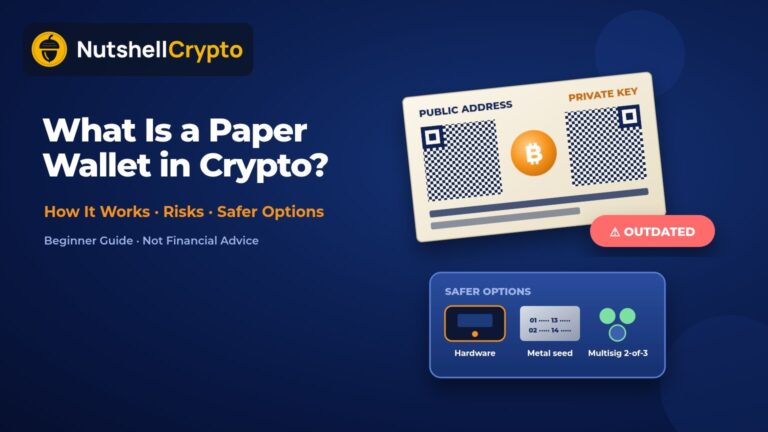
A cold wallet (often called cold storage) keeps private keys offline. The usual consumer form is a hardware wallet: a dedicated device that stores keys in isolated hardware and signs transactions without exporting the private key to your computer. Other cold approaches include carefully run air-gapped computers and, historically, paper wallets and paper backups of keys (paper has serious durability and operational caveats).
Cold storage does not mean “your crypto is locked forever.” You can still send and receive — but spending typically requires physical access to the signing device (and its PIN). That friction is the point: remote attackers cannot silently drain keys that never lived on your everyday phone.
Kraken Learn summarizes the same split: hot wallets stay connected for speed; cold / hardware setups keep keys offline and connect only when you choose to move funds. Source: Kraken Learn: What is a crypto hardware wallet?.
Important nuance: “Cold” is about the key’s exposure history and environment — not a marketing label. Generating a seed on a phone and later writing the words on paper does not magically make that key cold if it was already exposed online. True cold generation happens in an isolated environment and stays that way.
Side-by-Side Comparison
| Factor | Hot wallet | Cold wallet |
|---|---|---|
| Key location | Internet-connected device / software | Offline device or air-gapped setup |
| Speed | Fast for daily sends and dApps | Slower; extra steps to sign |
| Main remote risk | Malware, phishing, malicious approvals | Much lower for remote key theft |
| Main physical / ops risk | Device theft if unlocked; seed screenshots | Lost device, lost seed, supply-chain tampering |
| Typical cost | Often free apps | Hardware device usually costs money |
| Best fit | Small spending / active use | Larger long-term holdings |
Neither column is “always better.” Hot without limits can lose a large balance to one phishing click. Cold without a tested backup can lose access forever if the device fails and the seed was never recorded correctly.
Where Custodial Wallets Fit (Briefly)
Hot vs cold is mostly about connectivity. A separate axis is custody:
- Self-custody: You control the seed / keys (hot software or cold hardware).
- Custodial: An exchange or service holds keys for you. You have an account login, not a BIP-39 seed for that balance.
Custodial exchange balances are effectively hot from the platform’s perspective and come with platform risk (hacks, freezes, account takeover). Bitcoin.org warns that when a third party controls your keys, you rely on their security and honesty. Self-custody shifts responsibility to you — including seed backups. This article does not rank products; it explains categories so you can map what you already use. After you buy crypto, moving it off an exchange into a wallet you control is a common next step — see How to Buy Bitcoin for the purchase flow, then return here for storage choices.
Which Should You Use?
There is no single “best wallet” answer that fits everyone, and this site does not recommend specific brands as financial advice. Educational framing many security guides share:
- Use a hot wallet for amounts you are comfortable treating like cash in a pocket — frequent transfers, learning, interacting with apps.
- Use cold storage for amounts you would not want exposed to everyday malware — longer-term holdings you rarely move.
- Use both when your stack grows: keep a spending float hot; move the rest cold.
If you only hold a tiny amount and are still learning, a reputable hot self-custody app plus strong device hygiene may be enough short-term. As balances grow, the cost of a hardware device is often small relative to the remote-attack risk of keeping everything on a phone. Always buy hardware from official channels to reduce supply-chain risk (Kraken Learn and others repeatedly warn against second-hand or “pre-initialized” devices).
Shared Risks: Seed Phrases, Phishing, and Self-Custody
Hot and cold wallets share some failure modes:
- Seed phrase loss: If you lose the recovery phrase and the device, funds are typically unrecoverable. There is no bank reset desk.
- Seed phrase theft: Anyone with the seed can recreate the wallet elsewhere. Never type a seed into a website, never photo it into cloud albums, never share it with “support.”
- Phishing and fake apps: Clone sites and lookalike apps trick people into entering seeds or approving malicious transactions — especially on hot setups.
- Physical theft / coercion: Cold devices can be stolen; PINs and passphrases matter. Geographic backups help for disasters but increase exposure if poorly secured.
- Self-custody responsibility: You are the backup plan. Document (privately) how heirs could recover access if something happens to you — Bitcoin.org explicitly suggests thinking about this.
Cold storage reduces remote key extraction; it does not eliminate user error. The most common cold-storage disaster story is not a Hollywood hack — it is a lost or untested backup.
A Practical Beginner Setup (Educational)
- Learn the basics of keys and addresses in What Is a Crypto Wallet?.
- Start small on a hot self-custody wallet while you practice sending tiny amounts to yourself.
- Write the seed offline (paper or metal for meaningful amounts), store it securely, and test recovery with a tiny balance before trusting large amounts.
- When balances matter to you, move long-term holdings to cold storage and leave only a spending balance hot.
- Keep software updated, enable device passcodes / biometrics, and treat unexpected DMs asking for seeds as scams.
Again: not product rankings, not investment advice — a pattern for thinking about risk versus convenience.
Frequently Asked Questions
What is the difference between a hot wallet and a cold wallet?
A hot wallet keeps private keys on an internet-connected environment (phone, computer, browser, or custodial platform). A cold wallet keeps keys offline so remote attackers cannot reach them as easily. Hot prioritizes convenience; cold prioritizes online isolation.
Is a hardware wallet the same as a cold wallet?
Hardware wallets are the most common consumer form of cold storage, but “cold” describes offline key isolation. A hardware device used carelessly (or a seed that was first generated online) may not match the security story people assume. Ledger Academy also notes that connecting an account to risky smart contracts changes the threat model even when keys stay on hardware.
Are hot wallets unsafe?
Not automatically — but they face more remote threats. Many people use hot wallets safely for small balances with good habits (official apps only, no seed sharing, careful transaction review). Large balances on hot wallets raise the cost of a single mistake.
Can I use both a hot and cold wallet?
Yes. That is a common approach: hot for spending and exploration, cold for savings. Transfer only what you need when you need it.
What happens if I lose my cold wallet device?
If you have the correct recovery seed (and any passphrase) stored safely, you can usually restore on a new device. If the seed is lost too, the crypto is typically gone. Test backups before you need them.
Sources
- Bitcoin.org — Securing your wallet
- Ledger Academy — Hot wallet vs cold crypto wallet
- Coinbase Learn — What is a crypto wallet?
- Kraken Learn — What is a crypto hardware wallet?
- Kraken Learn — A guide to protecting your crypto assets
Educational content only. Not financial, tax, or investment advice. Cryptocurrency involves risk of loss. Always verify official documentation and consider your own security needs.