In a nutshell: Yes, you can stake with a hardware wallet. The device never holds your coins; it holds the private key and signs a delegate or stake transaction, while the coins stay on the blockchain at your address. Ledger Wallet and Trezor Suite have staking built in for coins such as ETH, SOL, ADA, DOT and TRX, and other devices (Keystone, Ledger, Trezor) can stake through software wallets like Keplr, Solflare or Phantom. Native delegation keeps your keys offline, but pooled and liquid staking move your coins into a provider’s contract. Educational only; not financial advice.
You can stake with a hardware wallet on most proof-of-stake coins: you connect the device to a wallet app, pick a validator or staking provider, and approve the stake on the device screen. Your private key never leaves the hardware wallet, so you earn rewards without handing your coins to an exchange.
The catch is that “staking from a hardware wallet” covers a few different setups, and they don’t all keep your coins under the device’s protection. This guide explains how it works, which wallets and coins support it, the step-by-step process, current reward rates, risks, unstaking times, and tax notes for the US, Canada and Australia. Rates were checked on November 24, 2026, Pakistan time, on the pages linked below.
Table of contents

How Staking With a Hardware Wallet Works
A hardware wallet is a signing device. Your coins live on the blockchain, and the device stores the private key that controls them. When you stake, the wallet app builds a transaction (for example “delegate 100 ATOM to validator X”), sends it to the device, and you check and approve it on the device screen. The signed transaction then goes to the network. If you are new to this split between keys and coins, our guides to what staking in crypto is and self-custody cover the basics.
On delegation chains such as Cosmos, Solana and Cardano, the coins never move. The Cosmos Hub delegator docs say your ATOM “never leaves your address” and the validator “cannot spend, move, or withdraw it”. A popular r/ledgerwallet thread sums it up the same way: the device only signs, and the stake sits on-chain.
Ledger’s staking page says you keep full control of your assets when you delegate through Ledger Wallet (formerly Ledger Live), and that you can choose your own validator, which you can’t do on an exchange like Binance or Kraken.
3 Ways to Stake From a Hardware Wallet
All three are signed on the device, but they differ in where your coins end up.
- Native delegation (coins stay at your address). You delegate to a validator on Cosmos, Solana, Cardano, Polkadot, Tron and similar chains. Your hardware wallet still controls the coins; you only take on the validator’s performance and, on some chains, slashing risk.
- Pooled staking (coins go into a provider’s contract). Ethereum needs 32 ETH to run your own validator, per ethereum.org, so most hardware wallet users join a pool. Trezor Suite stakes ETH through Everstake from 0.01 ETH, and Trezor’s ETH staking guide is blunt: once staked, your ETH and its rewards “are no longer secured directly by your Trezor”.
- Liquid staking (you get a receipt token). You deposit ETH or another coin with a protocol such as Lido and receive a token like stETH, which you can hold on the hardware wallet. Ledger’s staking guide says Lido and Stader Labs liquid staking are available inside Ledger Wallet. The receipt token is only as safe as the protocol behind it; see our liquid staking guide.
Some chains, like Ethereum, also let you run your own validator and keep the withdrawal address on a hardware wallet. That route needs 32 ETH and a node that stays online, and is covered in our guide on how to stake Ethereum.
Which Hardware Wallets Support Staking?
| Wallet | Built-in staking | Staking through other apps |
|---|---|---|
| Ledger | Earn tab in Ledger Wallet: ETH, SOL, DOT, AVAX, TRX, POL, BNB and more, via providers such as Kiln, Lido and Coinbase | Keplr (Cosmos chains), Phantom (Solana), MetaMask (ETH liquid staking) |
| Trezor | Trezor Suite: ETH (via Everstake), SOL, ADA and TRX | Third-party wallet apps for other chains |
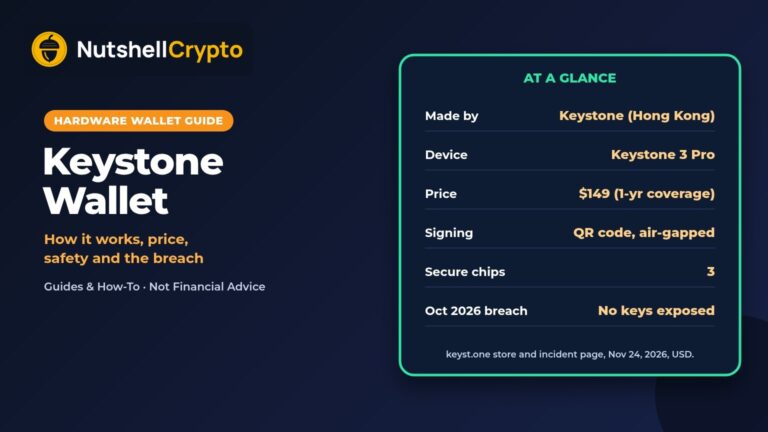
| Keystone | None on the device itself | Keplr (Cosmos chains, INJ, KAVA), Solflare (SOL), Babylon (BTC staking) |
Sources: Ledger’s staking guide, Trezor’s staking assets in Trezor Suite page, and Keystone’s supported wallets list, all checked November 24, 2026. Ledger says its list of assets changes as new providers are added, so check the Earn tab for the live list.
For wallet-specific walkthroughs, see our Ledger staking guide and Trezor staking guide. Air-gapped devices like the Keystone wallet sign by scanning QR codes, which works the same way for staking as for sending.
A few popular coins can’t be staked at all, wherever you hold them. Bitcoin uses proof of work (Babylon’s Bitcoin staking is a separate protocol, not part of Bitcoin itself), and XRP has no native staking either, as explained in our XRP staking guide.
How to Stake With a Hardware Wallet Step by Step
The button names vary by app, but the flow is the same everywhere:
- Update the device. Install the latest firmware and the coin’s app on the device (for example the Cosmos app on a Ledger). The Cosmos Ledger docs warn that signing newer message types fails on an old app.
- Open the staking app. Use the built-in Earn or Staking tab in Ledger Wallet or Trezor Suite, or connect the device to a software wallet. Ledger’s Keplr setup guide says to close Ledger Wallet first, because it can block the connection.
- Check the address. Compare the address shown in the app with the one on the device screen. Keystone’s Keplr guide recommends this before you stake anything.
- Pick a validator or provider. Look at commission, uptime and how much stake it already holds. Spreading stake across several validators limits the damage from one slashing event, per the Cosmos docs.
- Enter the amount and keep some for fees. Leave a little of the coin unstaked to pay for later claim and unstake transactions. Trezor Suite does this for ETH automatically.
- Approve on the device. Read the amount, validator and fee on the device screen, then confirm. Keystone users scan a QR code instead of plugging in.
- Claim or compound rewards. On Cosmos chains, rewards build up every block and claiming is a separate transaction that you sign on the device. Pooled ETH on Trezor compounds automatically.
Rewards: What You Can Earn
A hardware wallet doesn’t change the reward rate; the coin and the validator do. Reward rates shown by Staking Rewards on November 24, 2026, were about 2.66% for Ethereum, 5.02% for Solana, 2.11% for Cardano and 19.55% for Cosmos. A high rate often comes from new coins being minted, so compare it with inflation; our staking APR vs APY guide explains how.
Validators and pools take a commission out of those rewards, and you pay a network fee for each stake, claim and unstake transaction. Compared with exchange staking, you skip the exchange’s cut. To estimate what a given amount and rate would earn over time, try our staking rewards calculator; it was built for Chainlink, but the math works for any fixed rate.
Risks to Know First
- Smart contract and provider risk. Pooled and liquid staking move your coins into a contract. Trezor says it “assumes no responsibility” if anything happens to Everstake or its pool. A hardware wallet can’t protect coins that have left your address.
- Blind signing. Some staking contracts need blind signing, where the device can’t show what you’re approving. Phantom’s Ledger help page says to enable it only for the apps you plan to use. Turn it off afterwards and only sign on sites you typed in yourself.
- Slashing and downtime. On chains such as Cosmos, a validator that misbehaves can be slashed and part of the delegated stake is lost. Pick validators with a long, clean record.
- Price risk. Staking doesn’t protect you from the coin’s price falling, and you may not be able to sell during an unbonding wait.
- Seed phrase risk stays the same. Anyone with your recovery phrase can unstake and take the coins. Keep it offline; see our seed phrase guide.
Unstaking and Unbonding
Unstaking is also a transaction you sign on the device, and the wait depends on the coin, not the wallet. Cosmos Hub has a 21-day unbonding period, per its delegator docs. Ledger notes that ETH unstaking follows Ethereum’s exit queue and “can range from a few days to a few weeks”. On Trezor’s Everstake pool, unstaking has no fixed timeframe, and you then claim the ETH back to your Trezor. Our unbonding period guide lists the wait for each major coin.
US, Canada and Australia Tax Notes
United States: using a hardware wallet doesn’t change how staking is taxed. Under IRS Revenue Ruling 2023-14, staking rewards are gross income at their fair market value when you gain “dominion and control” over them, and you owe capital gains tax later when you sell. Native delegation can pay many small rewards, so export your history from the wallet app. See the IRS digital assets page and our crypto staking taxes guide.
Canada: the CRA says rewards from staking on a centralized exchange are generally income when they are credited to you, and staking or validating at a business scale is business income. Its page on mining and staking income doesn’t spell out staking from your own wallet, so ask a tax professional how to report those rewards. Our Canada crypto tax guide covers the wider rules.
Australia: the ATO says the money value of staking rewards is ordinary income when you receive them, and that value becomes their cost base for capital gains later.
FAQ
Can you stake with a cold wallet?
Yes. A cold wallet signs the staking transaction offline and the coins stay on-chain, so on delegation chains like Solana, Cardano and Cosmos they never leave your address. Pooled ETH staking is different: the ETH moves into the provider’s contract while it’s staked.
Can I lose my crypto if I stake it?
Yes, in a few ways: the price can fall, a validator can be slashed on some chains, or a pool or liquid staking contract can be exploited. Native delegation from a hardware wallet removes exchange and custody risk, but not price or validator risk.
Which wallet is best for staking?
There’s no single best one; it depends on the coin. Ledger Wallet has the widest built-in list, Trezor Suite covers ETH, SOL, ADA and TRX, and for Cosmos chains most people pair a device with Keplr. Check that your coin and validator are supported before you buy a device.
Can XRP be staked on Ledger?
No. XRP doesn’t use proof of stake, so there is no native XRP staking on Ledger or anywhere else. Offers that pay “XRP staking” rewards are usually lending or DeFi products; see our XRP staking guide.
Is it a bad idea to use a cold hardware wallet that also has staking?
Not for native delegation, which only needs the device to sign and leaves your coins at your address. The risk rises when you approve smart contracts you can’t read on the device screen, so avoid blind signing unless you trust the contract. This question comes from a r/CryptoCurrency discussion.