In a nutshell: On Kraken web (not the app), open Profile → Settings → Tax Center to download Form 1099-DA / 1099-MISC and three CSV tax reports (Income, Gain/Loss, Transaction History). Use Document Center exports for raw ledger/trades if needed. For tax year 2025, Kraken reports gross proceeds to the IRS on 1099-DA; cost basis on your copy is informational (FIFO). Educational only; not tax advice.
Last updated: October 16, 2026.
Looking for a Kraken tax report or Kraken tax documents? Kraken keeps official IRS forms and downloadable CSV summaries in its U.S. Tax Center, and raw account exports in the Document Center. Both are web-only. This guide covers where to click, what each file contains, what Kraken reports on Form 1099-DA versus what you still calculate, how the files pair with Form 8949, common pitfalls, and a short Canada note.
Table of contents
Where to Find the Kraken Tax Center
According to Kraken Support’s SerenAI / Tax Center download steps (updated October 8, 2026) and the U.S. Tax Center FAQ (updated March 20, 2026), tax forms and Tax Center tools are accessed on a desktop browser at Kraken.com (or Pro.Kraken.com) — not the mobile apps. Kraken’s tax-forms FAQ (updated October 6, 2026) states the same: forms and statements are website-only.
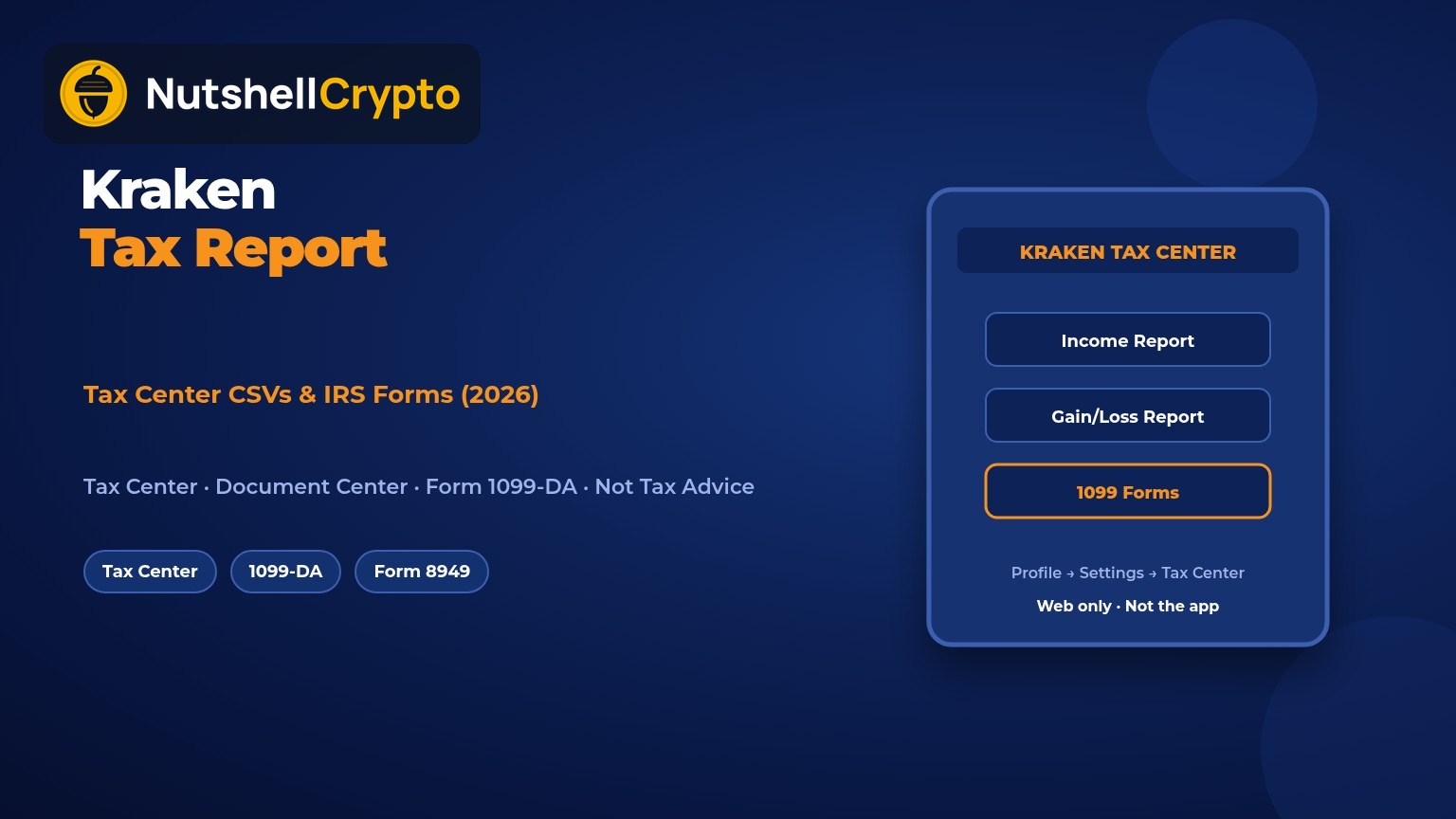
Typical path to Form 1099-DA and Tax Center reports (from Kraken Support):
- Sign in on kraken.com (web).
- Click your profile icon (top right).
- Open Settings, then Tax Center (some Help pages also list Tax Center / Statements directly in the profile dropdown).
- On the Crypto tab / Summary area, download available Form 1099 files and CSV tax reports for the selected year.
If you do not see a 1099, Kraken says your account may not have met reporting thresholds for that year, or forms may still be generating — transaction data in the Tax Center remains available either way. For when a sale, swap, or reward is taxable in the first place, use our main beginner guide to crypto taxes in the US — this page stays on Kraken’s downloads and forms.
CSV Tax Reports You Can Download
Kraken’s U.S. Tax Center FAQ lists three CSV reports from the Summary tab for your selected tax year (as of March 20, 2026):
- Income Report — taxable income-style events such as staking rewards, airdrops, referral bonuses, and other earnings. Kraken says this generally corresponds to the income side of Form 1099-MISC.
- Gain/Loss Report — realized capital gains and losses from disposing of crypto (selling, trading, converting), with short- vs long-term splits plus cost basis and proceeds per disposal. Useful when preparing Schedule D and Form 8949 — treat it as a worksheet, not a substitute for your own records.
- Transaction History Report — full account activity for the year (trades, deposits, withdrawals, earnings). Best file for reconciling with a CPA or importing into third-party tax software.
The same FAQ notes that for tax year 2025, Kraken reports gross proceeds to the IRS; FIFO-based gain/loss calculations shown in the Tax Center are for your convenience and are not reported to the IRS for that year. You may change the lot method shown in Tax Center Settings (FIFO, LIFO, or HIFO) for informational calculations — ask a tax professional before relying on a method for filing.
IRS Forms: 1099-DA and 1099-MISC
Kraken’s Tax forms FAQ (updated October 6, 2026) and How to Read Your 2025 Combined Form 1099 (updated October 7, 2026) explain the U.S. information returns:
- No Form 1099 for tax year 2024 for U.S. clients (staking program was shut down for that period; 1099-DA reporting begins with 2025).
- Form 1099-DA (tax year 2025+): reports sales and dispositions of digital assets on the Kraken exchange (Kraken.com, Kraken Pro, related apps). Kraken says DeFi apps such as Kraken Wallet / Ink are not in this first wave of 1099-DA reporting.
- Form 1099-MISC: may issue if you earned $600 or more in rewards (staking, airdrops, deposit rewards, referrals) in the calendar year after the U.S. staking program restarted.
What counts as a 1099-DA disposition (Kraken’s 2025 guide): selling crypto for fiat, exchanging crypto for another crypto (including stablecoins), and certain sends via Krak to another person or business. Transfers between wallets/accounts you own are generally not treated as sales. Kraken states there is no minimum dollar threshold for 1099-DA sales/sends — even a $1 disposition can be reportable. If you only bought and held with no sales or Krak sends, 1099-DA may not apply.
What the IRS gets vs what you see (2025): Kraken reports gross proceeds (and related identification fields) to the IRS. Cost basis, acquisition date, and gain/loss on your copy were calculated with FIFO for display and were not reported to the IRS for 2025. Gross proceeds are not the same as taxable gain. For tax year 2026, Kraken says it will also begin reporting acquisition cost, acquisition date, gain/loss, and holding-period character for positions acquired on or after January 1, 2026.
U.S. entity details Kraken publishes for software/accountants: Payward Interactive, Inc., 106 E. Lincolnway, 4th Floor, Cheyenne, WY 82001, USA; Tax ID 83-0923587 (confirm on your form). Timing uses UTC on the form — a late Dec 31 trade in U.S. local time can land on Jan 1 UTC.
For the Form 1040 digital-asset Yes/No question and a focused 1099-DA overview (without repeating full taxable-event lists), see digital asset tax / 1099-DA. The IRS explains the form on Understanding your Form 1099-DA.
Document Center Exports (Ledger, Trades, Statements)
Separate from Tax Center forms, Kraken’s Download or request documents guide (updated April 16, 2026) covers the Document Center:
- Sign in → profile icon → Documents.
- Create a New export: Account statement, Balances, Trades, or Ledger.
- Set date range / filters and format (PDF or CSV where offered), then Generate.
Kraken notes exports can take minutes to up to a week for large histories, and completed exports stay downloadable for about 14 days. Use these files when Tax Center CSVs are incomplete for your software, or when you need multi-year ledger history for cost basis on older lots.
What Kraken Reports vs What You Must Calculate
Think of Kraken documents as a starting point:
- Kraken can report (when eligible): 1099-DA gross proceeds for exchange dispositions; 1099-MISC rewards at/above $600; Tax Center CSVs and optional CoinTracker-powered tools inside the Tax Center.
- You must still track: cost basis for assets transferred into Kraken from another exchange or wallet (Kraken often shows missing/unknown basis); activity on Kraken Wallet / DeFi Earn / Ink that is outside the exchange 1099-DA scope; rewards below the 1099-MISC threshold; and any method other than the FIFO display Kraken used for 2025 client copies.
Kraken’s Tax Center FAQ stresses that missing cost basis does not mean $0 basis — treating blank basis as zero overstates tax. You can resolve lots via the optional CoinTracker workflow in Tax Center or by editing missing-basis rows manually. For why a wallet-to-wallet move itself is usually not a sale, see transfer crypto taxes. Short- vs long-term rates live in our crypto capital gains tax guide — we do not repeat those tables here.
How to Use the Files with Form 8949 or Tax Software
A practical workflow for U.S. filers:
- On web, open Tax Center and download the year’s 1099 package plus Income, Gain/Loss, and Transaction History CSVs.
- Pull Document Center ledger/trades exports if you need older years for basis.
- Import CSVs into crypto tax software, or enter disposals on Form 8949 with your own cost basis where 1099-DA is proceeds-only / noncovered, then roll totals to Schedule D.
- Report rewards income even without a 1099-MISC below $600, using the Income Report as a checklist.
- Reconcile 1099-DA proceeds to Form 8949 lines so broker totals match what you file.
If you also use Coinbase or Crypto.com, keep each platform’s CSVs separate and mark transfers so software does not treat a move as a sale. See our Coinbase tax report and Crypto.com tax report guides. For whether a sale triggers tax at all, see if I sell crypto, do I pay taxes?.
Common Mistakes
- Looking only in the mobile app. Kraken says tax forms and statements are website-only.
- Treating 1099-DA proceeds as profit. For 2025, the IRS gets proceeds; taxable gain is proceeds minus basis.
- Assuming blank basis = $0 on transferred-in coins.
- Skipping rewards under $600 — no 1099-MISC does not automatically mean non-taxable.
- Ignoring DeFi / Kraken Wallet activity outside exchange 1099-DA coverage.
- Letting Document Center exports expire (~14 days) without saving a local copy.
- Forgetting UTC date shifts near year-end on the 1099-DA.
Canada: Using Kraken Records for the CRA
Non-U.S. customers do not receive U.S. Forms 1099 for CRA filing. Canadians still need Kraken Document Center exports (and any Tax Center data if shown) to reconstruct CAD fair market values at acquisition and disposition. The CRA tip on reporting capital gains as a crypto-asset user points filers to Schedule 3 on the T1; the CRA books and records guide says to export exchange data regularly and keep records at least six years. Business-like trading may be business income instead of (or alongside) Schedule 3 — ask a Canadian tax professional when unsure. Broader context: cryptocurrency tax in Canada.
FAQ
Where do I download my Kraken tax report?
On Kraken web: profile icon → Settings → Tax Center (or Tax Center / Statements from the profile menu). Download Form 1099 files and the Income, Gain/Loss, and Transaction History CSVs. Use Documents for raw ledger/trades exports.
Does Kraken issue Form 1099-DA?
Yes for eligible U.S. clients starting with tax year 2025 when they have reportable exchange dispositions (or certain Krak sends). Tax year 2024 had no U.S. 1099 from Kraken per Kraken Support.
Does Kraken’s 1099-DA include cost basis?
For tax year 2025, Kraken reports gross proceeds to the IRS; cost basis/gain figures on your copy are informational (FIFO) and not IRS-reported. For tax year 2026, Kraken says basis and holding-period data begin for positions acquired on or after January 1, 2026.
What if I only used Kraken Wallet or DeFi Earn?
Exchange 1099-DA coverage does not automatically include separate DeFi / Kraken Wallet activity. Keep on-chain records and export what you can; connect embedded Earn wallets in CoinTracker if you use that optional Tax Center path.
Can Canadians get a CRA slip from Kraken?
Typical crypto capital gains are not filed from a U.S. 1099. Download CSVs, convert values to CAD, and report on Schedule 3 or as business income as your facts require.
Why don’t I see a 1099 in Tax Center?
You may be below thresholds, forms may still be generating, or your account entity/address may fall under different reporting (for example CARF instead of 1099-DA for some U.S. persons abroad). Transaction CSVs in Tax Center can still help you file.
Sources
- Kraken Support: U.S. Tax Center FAQ (as of March 20, 2026)
- Kraken Support: Tax forms FAQ (as of October 6, 2026)
- Kraken Support: How to Read Your 2025 Combined Form 1099 (as of October 7, 2026)
- Kraken Support: Download or request documents (as of April 16, 2026)
- Kraken Support: Tax Center download path (SerenAI FAQ) (as of October 8, 2026)
- IRS: Understanding your Form 1099-DA
- IRS: About Form 8949
- CRA: Reporting capital gains as a crypto-asset user
- CRA: Keeping books and records of crypto-assets
Educational content only. This is not financial, legal, tax, or investment advice. Tax rules change; talk to a qualified tax professional about your situation. NutshellCrypto is not affiliated with Kraken or Payward.