In a nutshell: Zengo is a self-custodial mobile crypto wallet with no seed phrase. Instead of one private key, it uses multi-party computation (MPC): one “secret share” lives on your phone and a second lives on Zengo’s servers, and both are needed to sign a transaction. If you lose your phone, you recover the wallet with three factors: your email, a 3D FaceLock face scan and an encrypted Recovery File in your own cloud storage. The basic app is free; Zengo Pro is a paid subscription with extra security tools and lower purchase fees. The trade-off is that day-to-day use depends on Zengo’s servers and app, so it is not the same as holding your own seed phrase. Educational only; not financial advice.
Last updated: October 31, 2026.
Most crypto wallets hand you 12 or 24 words and tell you never to lose them. Zengo’s pitch is the opposite: there are no words to lose or have stolen. That sounds great, but it raises fair questions. Who really controls the funds? What happens if Zengo shuts down? And what does it cost?
Below: what Zengo is, how its MPC setup and three-factor recovery work, what the free and Pro versions include, the fees, what happens if Zengo disappears, the real trade-offs, and tax notes for the US, Canada and Australia. Facts come from Zengo’s own website, help center and app store listings, checked on October 31, 2026.
Contents
What Is Zengo Wallet?
Zengo is a mobile crypto wallet app for iPhone and Android, with business and desktop options too. The company was founded in 2018 by Ouriel Ohayon (CEO) and Tal Be’ery (CTO), and the consumer wallet launched in 2019 (Zengo team page, Zengo blog). Zengo calls it a “keyless wallet”: there is no single private key or seed phrase for you to write down.
It is self-custodial, which means Zengo says it cannot move your funds on its own. That makes it different from a custodial wallet on an exchange, where the company holds the keys. On its home page Zengo says it has 2M+ customers and has not had a wallet hacked since 2018 (Zengo). That is the company’s own claim, not an independent audit.
How Zengo’s MPC Works
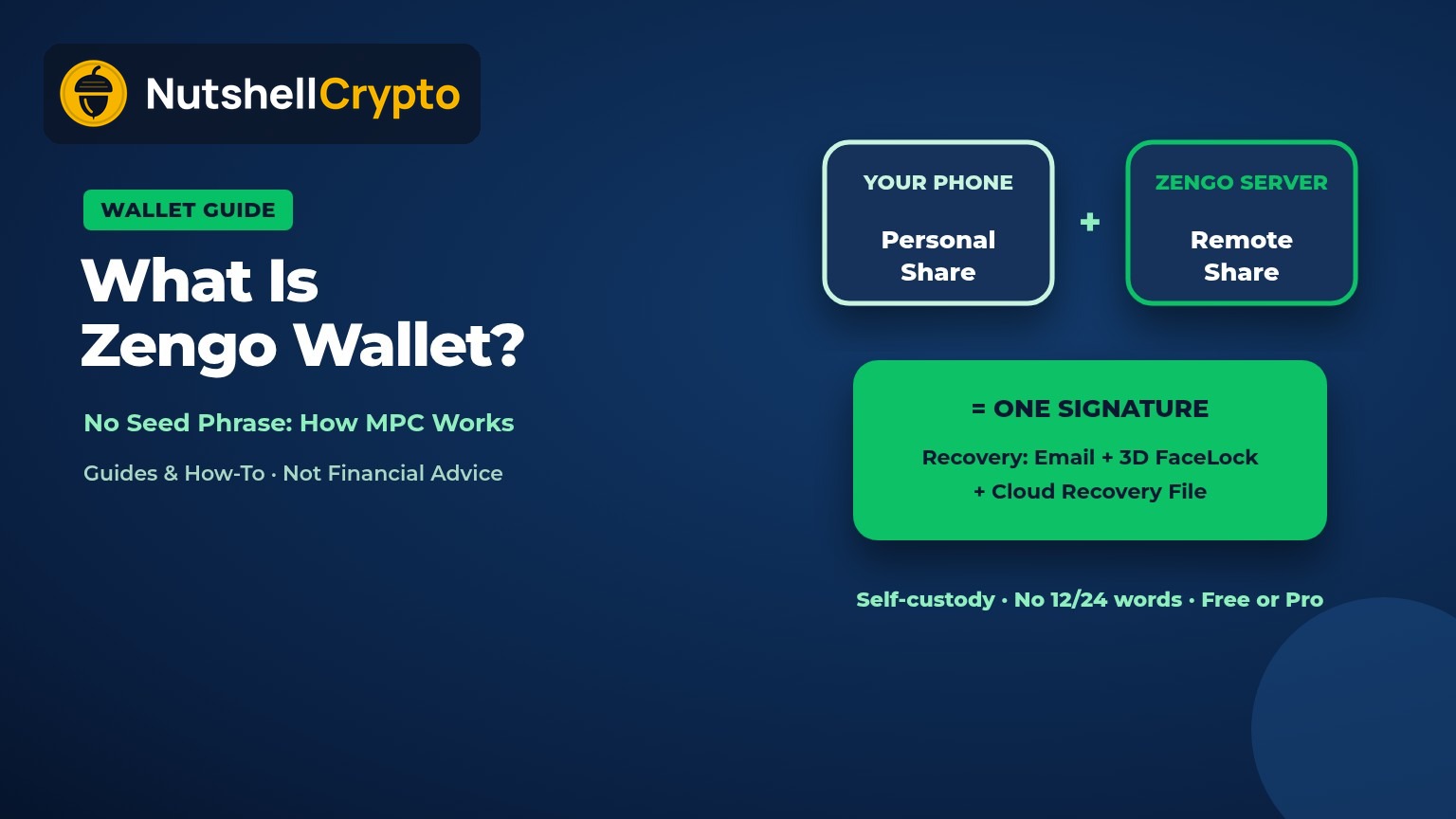
A normal wallet has one private key, usually backed up as a seed phrase. Anyone who gets those words gets the money. Zengo splits control into two independently created “secret shares” (Zengo security page):
- Personal Share: created and stored on your phone.
- Remote Share: created and stored on Zengo’s servers.
When you send crypto, the two shares run a joint calculation that produces a valid signature, without either side ever revealing its share. Zengo says its protocol is based on the Lindell two-party signing protocol, changed so that only the phone can start a transaction, and that its code is open source on GitHub (Zengo security in depth).
So a thief who steals only Zengo’s server data, or only your phone, cannot sign alone. This is a different design from a multisig wallet: multisig uses several full keys and the rule is enforced on-chain, while MPC produces one ordinary-looking signature from shares that are never combined.
Three-Factor Recovery (3FA)
If you get a new phone or reinstall the app, you restore the wallet with three factors, and Zengo says you need all three (Zengo security page, Zengo recovery kit):
- Something you control: your email address.
- Something you are: 3D FaceLock, an encrypted face scan.
- Something you store: the Recovery File in your own cloud backup (iCloud, Google Drive or Dropbox).
Behind the scenes, an encrypted copy of your Personal Share sits on Zengo’s servers, and the key that decrypts it is the Recovery File in your cloud. You prove it is you with the face scan, download the encrypted share, and decrypt it on your phone. Zengo says neither the cloud provider nor Zengo ever holds the full share in usable form (Zengo).
Zengo’s help center says the FaceLock check is built to resist photos, videos, deepfakes and 3D masks, and that the underlying face tech has a public spoof bounty (Zengo Help Center). Practical tips from Zengo: add a second email, a backup face scan of someone you trust, and save the Recovery File in more than one cloud.
In January 2024 Zengo put 10 BTC and a Pudgy Penguin NFT in a Zengo wallet, published some of its recovery factors, and invited anyone to steal them. Zengo reported more than 200 attempts over 15 days and no successful hack (Zengo wallet challenge). It was a marketing event run by Zengo, so treat it as a useful stress test, not proof that nothing can ever go wrong.
What If Zengo Shuts Down?
Because the Remote Share sits on Zengo’s servers, the obvious worry is losing access if the company disappears. Zengo’s answer is a fallback it calls “Chill Storage”. Each Remote Share is also encrypted with a master key, and the matching decryption key is held by an escrow provider (EscrowTech) with a law office (JRG) as trustee. If the trustee finds Zengo is no longer operating, the decryption key is posted to a dedicated GitHub account; the app watches for it, enters recovery mode and rebuilds your private keys so you can move funds to another wallet (Zengo).
That plan is reassuring on paper, but it has never been used in a real shutdown, and it depends on the trustee, the escrow firm and the app still working on your phone. Keep that in mind for large balances.
Zengo Essentials vs Zengo Pro
The free version, Zengo Essentials, includes the MPC wallet, recovery and 24/7 in-app chat support. Zengo Pro is a paid subscription that adds (Zengo Pro guide, Zengo Pro page):
- Theft Guard: withdrawals above a limit you set (default $1,000) need a FaceLock approval, even if someone knows your phone PIN.
- Legacy Transfer: name a beneficiary who can access the wallet after an inactivity timer of 3 to 24 months runs out; opening the app resets the timer (Zengo Legacy Transfer).
- Web3 firewall (ClearSign): rates dapp requests green, yellow or red and warns about risky token approvals (Zengo Help Center).
- Private transaction mode for Bitcoin and Dogecoin (a new address each time), up to 5 separate wallets, Vaults that lock funds for a set time, and priority support.
- Up to 50% off purchase fees when you buy crypto in the app.
Price: the App Store release notes for versions 9.5.3 and 9.5.4 say the Pro annual plan dropped to $49.99 a year from $129, and the US listing also shows other in-app Pro prices (App Store). Zengo says prices can differ by country, so check the price shown in your app before subscribing.
Zengo Fees
Zengo says it charges nothing to send, receive or store crypto. You still pay the blockchain’s network fee (gas), which goes to the network, not Zengo (Zengo fees and limits).
Buying, selling and swapping go through third-party providers, and the cost can include a processing fee, a spread, a payment gateway fee and a currency conversion fee. Zengo says purchase fees start from 2% on most assets for Pro users, and that you see a full fee breakdown before you confirm (Zengo). Its buy page lists a $50 minimum purchase and providers such as Banxa, MoonPay and Transak (Zengo buy page). In-app card purchases are usually pricier than an exchange; compare with our guide to crypto exchange fees.
Supported Coins and Countries
Zengo’s home page lists Bitcoin, Ethereum, Solana, TRON “and more”, and says the app manages 1,000+ assets including stablecoins and NFTs (Zengo). Its Google Play listing names Bitcoin, Ethereum, BNB Chain, Dogecoin, TRON and Tezos plus Polygon, Arbitrum One, Optimism and Base (Google Play). The listing also mentions staking ETH and XTZ. Network support changes, so check inside the app before you send a coin to Zengo, and always send on the right network.
On countries, Zengo says the app works in over 188 countries including the US, UK, Canada, Australia and most of Europe, but not in a few places such as China, Cuba and Iran. Buying crypto depends on the partner provider in your region (Zengo). Zengo says creating a wallet needs no ID documents, but a purchase provider may ask for them.
Pros, Cons and Trade-offs
| Pros | Cons |
|---|---|
| No seed phrase to lose, photograph or type into a phishing site | Signing needs Zengo’s server share, so you rely on Zengo staying online day to day |
| Recovery with email, face scan and cloud file | Lose access to your email or cloud account and recovery gets hard |
| Funds can’t be moved by Zengo alone | Shutdown fallback (Chill Storage) has never been used in practice |
| Free basic app, 24/7 chat support | Best features and lowest buy fees are behind a subscription |
| Open-source MPC library | You can’t export a normal seed phrase to move to another wallet; you move funds by sending them |
Who it suits: beginners who worry about losing a paper backup, and people who want simpler inheritance planning. Who might prefer something else: anyone who wants full independence from a company, who may like a hardware wallet with a seed phrase better (see hot vs cold wallets). Our crypto wallets for beginners guide compares the main types.
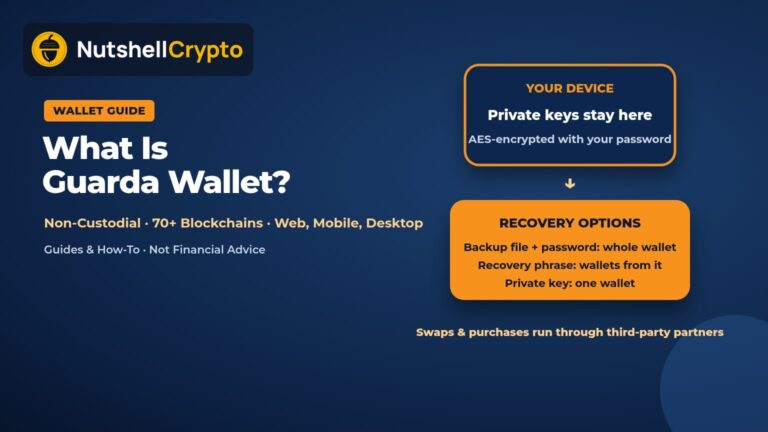
If you prefer a classic key-on-device design that still restores many chains from one encrypted file, see how Guarda Wallet works and its backup-plus-password model.
US, Canada and Australia Tax Notes
Using a wallet is not a taxable event by itself. What matters is what you do with the crypto inside it.
United States: the IRS treats crypto as property; selling, swapping or spending it can create a gain or loss, while moving it between wallets you own is not a sale (IRS digital assets). Staking rewards earned in the app are income when you gain control of them (IRS Rev. Rul. 2023-14).
Canada: the CRA treats crypto gains as either capital gains or business income depending on your situation, and swaps between coins count as dispositions (CRA). See our Canada crypto tax guide.
Australia: the ATO treats crypto as a CGT asset; selling, swapping or spending it is generally a CGT event, valued in AUD, and you need records of each transaction (ATO crypto assets). Self-custody wallets like Zengo don’t send tax forms, so export your history regularly.
More detail: do you pay tax when transferring crypto? This is general information, not tax advice.
FAQ
Is Zengo wallet safe?
Its MPC design removes the seed phrase as a single point of failure, and Zengo says no wallet has been hacked since 2018. Risks remain: phishing for your email or cloud login, scams that trick you into sending funds yourself, and dependence on Zengo’s servers and app.
Is Zengo custodial?
No. Zengo holds one of two shares and says it cannot start or sign a transaction without the share on your phone.
Does Zengo have a seed phrase?
No. You back up with an email, a 3D FaceLock scan and a Recovery File in your cloud storage.
Is Zengo free?
The Essentials app is free. Zengo Pro is a paid subscription; network fees and third-party purchase fees apply either way.
Can I use Zengo in the US, Canada and Australia?
Yes, Zengo lists all three as supported, but buying options and fees depend on the provider in your region.
Sources: Zengo website, help center and blog, Apple App Store and Google Play listings (checked October 31, 2026), IRS, CRA, ATO. This article is for education only and is not financial or tax advice.