In a nutshell: Trezor Suite lets you stake ETH, SOL, ADA and TRX from your Trezor, with Everstake as the partner for ETH, SOL and ADA. SOL, ADA and TRX stay in accounts your Trezor controls. Staked ETH is different: it sits in Everstake’s pool. A 10% commission comes out of ETH rewards, 7% on SOL and 4% on ADA. Educational only; not financial advice.
Trezor staking means earning staking rewards on coins held on a Trezor hardware wallet, using the Earn and Staking tabs in the Trezor Suite app. You can stake ETH, SOL, ADA and TRX this way. Each one is a single transaction that you confirm on the device, and each has its own minimum, fee and unstaking time.
This guide covers what you can stake, how custody works for each coin, the fees and reward rates (checked on November 18, 2026), how to stake and unstake step by step, the risks, and short tax notes for the US, Canada and Australia.
Table of contents

What Can You Stake in Trezor Suite?
Trezor’s guide to staking assets in Trezor Suite lists four coins: Cardano (ADA), Ethereum (ETH), Solana (SOL) and Tron (TRX). Trezor doesn’t run validators itself. ETH, SOL and ADA are staked with Everstake, and for TRX you vote for Tron Super Representatives yourself. If staking is new to you, start with our guide to what staking in crypto is.
| Coin | Minimum | Provider fee | Unstaking | Devices |
|---|---|---|---|---|
| ETH | 0.01 ETH | 10% of rewards | About 9 days, varies | All, incl. Model One |
| SOL | 1 SOL | 7% of rewards | About 1 day | Model T, Safe 3, 5, 7 |
| ADA | 2 ADA deposit + ~0.18 ADA fee | 4% (Everstake docs) | No lock-up | Desktop app to stake |
| TRX | Not stated | Set by your representative | 14-day wait | Model T, Safe 3, 5, 7 |
Sources: Trezor’s ETH staking page, SOL staking page, ADA staking guide and TRX staking guide, plus Everstake’s Cardano docs, all checked November 18, 2026.
Is Trezor Staking Non-Custodial?
For three of the four coins, yes. For ETH, not fully. This is the most important detail in Trezor staking, and Trezor’s own pages are clear about it.
- SOL stays under your Trezor’s control. Trezor’s Solana staking guide says Suite creates a separate stake account, and both the delegate and withdraw permissions stay with your Trezor. Everstake only gets the voting weight. It can’t move, unstake or withdraw your SOL.
- ADA never leaves your account. Trezor says your full ADA balance is staked and you can still send, swap or spend it while it’s staked.
- TRX stays in your account. Trezor’s Tron guide says your staked TRX “never leaves your account or goes to the representative.” Only your future rewards depend on the representative.
- ETH goes into Everstake’s pool. Trezor’s ETH staking guide says that once staked, your ETH and its rewards sit in the Everstake pool and are “no longer secured directly by your Trezor.” Trezor takes no responsibility if anything happens to Everstake, and its ETH page warns that if Everstake stops operating, you may not recover your staked funds.
So with ETH you still sign everything on your device, but you are trusting Everstake’s smart contracts while the ETH is staked. Trezor points to security audits of Everstake by ChainSecurity and Ackee Blockchain Security. If you want to keep the keys to the validator yourself, our guide to staking Ethereum compares solo, pooled and liquid options.
Trezor Staking Fees and Rewards
The staking commission comes out of your rewards, not your stake, and you also pay small network fees for each transaction you sign.
- ETH: Trezor’s ETH page says a 10% commission applies to staking rewards and advertises “up to 3% APY.” Rewards are auto-compounded.
- SOL: Trezor says Everstake takes a 7% commission before rewards are paid, and advertises “up to 7% APY.” Everstake’s Solana docs also list a 7.00% commission and auto-compounding. Opening a stake account needs a small refundable “rent” deposit that comes back when you unstake.
- ADA: You pay a 2 ADA deposit that registers your staking key (returned when you unstake) and a network fee of about 0.18 ADA. Everstake’s Cardano docs list a 4.00% fee.
- TRX: Trezor says the APR is dynamic, varies by Super Representative and changes with network conditions. Rewards are not compounded for you.
For context, we checked network-wide average reward rates on Staking Rewards at about 5:10 PM PKT on November 18, 2026: Ethereum 2.55%, Solana 5%, Cardano 2.08% and Tron 3.26%. Trezor’s “up to” figures are ceilings, not promises, and rates move every day. Our explainer on staking APR vs APY shows how these numbers are calculated, and you can model compounding with our staking calculator by entering any coin’s rate.
One extra detail for SOL: the Rated explorer page for Everstake’s Solana validator shows its commission as 7% on voting rewards and 100% on MEV tips, with a 7-day delegator APY of 4.18% when we checked on November 18, 2026. That means delegators get the normal staking yield but none of the MEV tip income some other validators share.
How to Stake With Trezor Step by Step
The flow is almost the same for every coin. Here’s the desktop version, based on Trezor’s guides:
- Connect. Plug in your Trezor, open Trezor Suite and unlock the device with your PIN.
- Pick the account. Open the Earn tab, or open the coin account and click the Staking tab, then Start staking or Stake now.
- Read the summary and consent. Suite shows how staking works for that coin. For ETH, SOL and ADA you tick a box to consent to staking with Everstake.
- Enter the amount. At least 0.01 ETH or 1 SOL. For ETH, Suite keeps a little back for gas. ADA stakes your full balance. For TRX, you choose to freeze for bandwidth or energy.
- Coin-specific choices. For ETH and SOL, confirm the entry or activation period. For ADA, pick a voting preference (Abstain is the default, or let Everstake vote, or choose your own DRep). For TRX, assign your votes to one or more Super Representatives.
- Confirm on the device. Check the amount, fee and the validator or pool on your Trezor screen and approve. For ADA, Trezor lists the four Everstake pool IDs (EVE6 to EVE9) the device should show, and says not to confirm if it shows anything else.
- Track it. The Staking tab shows activation, rewards and the current APY.
On mobile, ETH and SOL staking work from the Earn tab. Trezor says you can’t stake ADA in the mobile app yet, and TRX staking, unstaking and claiming are desktop only.
Moving coins off an exchange first? Our guide on transferring crypto to a cold wallet covers test sends and address checks.
How Unstaking Works
- ETH: two steps, Unstake and then Claim. Trezor’s ETH page says withdrawal currently takes around 9 days, but the guide says there is no fixed timeframe because it depends on the network. If other users are entering the pool at the same time, part of your ETH can come back instantly.
- SOL: Trezor says activation takes one epoch (about a day) and unstaking takes about a day too, and suggests unstaking at least three days before you need the SOL. Everstake’s docs give a range of 0 to 2.5 days.
- ADA: no lock-up. Unstaking deregisters your staking key, claims your rewards and returns the 2 ADA deposit as soon as the transaction confirms. Staking becomes active 5 to 10 days after you start, then rewards arrive every 5 days.
- TRX: after you unstake, you wait 14 days, then sign a second transaction to withdraw. Rewards can be claimed once every 24 hours.
Our unbonding period guide explains why these waits exist on proof-of-stake networks.
Stablecoin and ETH Vault Yield Is Not Staking
Trezor Suite also has a separate stablecoin yield feature. It deposits USDC or USDT on Ethereum into Steakhouse Prime Vaults on Morpho, where borrowers pay interest. Trezor’s Morpho vault explainer says there’s also an ETH vault, and the fees are 10% of yield for the stablecoin vaults and 12.125% for the ETH vault.
This is DeFi lending, not network staking. Trezor lists smart contract risk, liquidity risk (withdrawals can be delayed if borrowers use all the funds), lending losses and stablecoin depegs as risks. Don’t confuse an ETH vault deposit with ETH staking in Suite; they work very differently.
Risks of Trezor Staking
A Trezor protects your keys from malware and phishing. It doesn’t remove the risks of staking itself:
- Provider risk on ETH. Your staked ETH is held in Everstake’s pool and smart contracts, not secured directly by your device.
- Slashing. Trezor’s ETH guide notes that validators who misbehave, for example by double-signing, can lose ETH through slashing. Everstake’s docs say Solana and Cardano have no automated slashing in the protocol.
- Waiting periods. You can’t trade staked ETH, and SOL and TRX need time to unlock. If the price drops while you wait, you can’t sell quickly.
- Price risk. A 3% to 7% yield doesn’t protect you from a 30% price fall.
- Changing rates. Rewards are variable and not guaranteed, as Trezor says on its staking pages.
- Seed phrase risk. Your positions live on the blockchain, so whoever has your recovery phrase controls them. Our self-custody guide covers the basics.
- Fake pools and scams. Always check the pool or validator shown on the Trezor screen. Real staking never asks you to send coins to a stranger’s address.
Trezor vs Ledger Staking
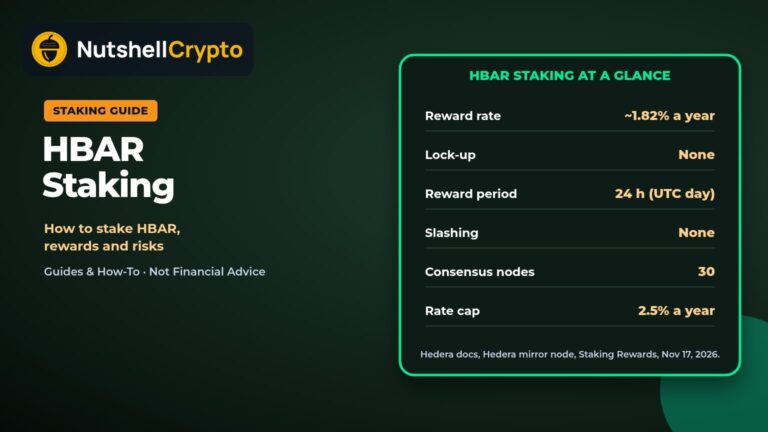
Both hardware wallets stake through third-party providers, and both have you approve each step on the device. The difference is choice. Trezor Suite stakes four coins and uses Everstake by default for ETH, SOL and ADA, while Ledger’s app supports more coins and, for ETH, several providers. Our Ledger staking guide covers its options, fees and US availability limits. For coin-specific details, see our SOL staking guide, ADA staking guide and Tron staking guide.
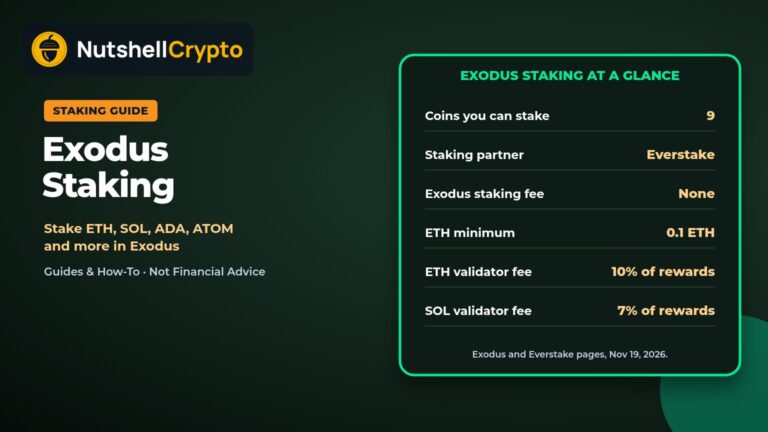
Exodus Mobile can also stake SOL from a Trezor Safe 7 through Everstake, as our Exodus staking guide explains.
US, Canada and Australia Tax Notes
United States. The IRS says in Revenue Ruling 2023-14 that staking rewards count as gross income at their fair market value in the year you gain “dominion and control” over them, meaning you can sell or transfer them. Staking from a hardware wallet doesn’t change that. Because ETH rewards auto-compound in the pool and ADA and SOL rewards are restaked automatically, keep a log of reward dates and USD values. The IRS digital assets page has the reporting basics.
Canada. The CRA’s page on income from crypto mining and staking says rewards from staking on a centralized exchange are generally income under the Income Tax Act when they’re credited. The page doesn’t set a separate rule for staking from your own wallet, so record each reward’s value in Canadian dollars and ask a tax professional how it applies to you. Our Canada crypto tax guide goes deeper.
Australia. The ATO’s crypto asset investments guidance treats the money value of staking rewards as ordinary income when you receive them, and selling them later is a separate capital gains event.
For more, see our guide to crypto staking taxes. This is general information, not tax advice.
FAQ
Can I stake ETH on Trezor, and if so, how?
Yes. Open Trezor Suite, go to your Ethereum account’s Staking tab, click Start staking, enter at least 0.01 ETH and confirm on your Trezor. The ETH goes into Everstake’s pool, and a 10% commission comes out of the rewards, according to Trezor’s ETH staking page.
Can I lose my crypto when staking?
You can. With ETH in Trezor Suite, Trezor warns that you may not recover staked funds if Everstake stops operating, and proof-of-stake validators can be slashed for misbehaving. On every coin, the price can also fall while your coins are staked or unlocking.
Is staking even worth it?
It can be if you already plan to hold the coin for a long time, since rewards add a few percent a year on top of your holdings. On November 18, 2026, network averages on Staking Rewards ran from about 2.08% (ADA) to 5% (SOL), before provider fees. If you might need to sell quickly, the unstaking waits and price risk may outweigh that.
Which crypto wallet is best for staking?
There’s no single best wallet. It depends on which coins you hold and how much control you want. Trezor Suite covers ETH, SOL, ADA and TRX with one main provider, while Ledger supports more coins and providers, as our Ledger staking guide explains. Compare the supported coins, fees and who holds the keys while you stake.
Can you cash out on Trezor?
Yes, but not with staked coins. Unstake first, then use the Sell tab in Trezor Suite. Trezor’s sell guide says third-party providers pay out to a bank, card or other account, usually after identity checks.
Related Staking Guides
- Ledger staking: how to stake crypto on a Ledger wallet
- How to stake Ethereum
- Liquid staking explained
- What is staking in crypto?
Educational only, not financial advice. Rates and fees change; check the live figures in Trezor Suite before you stake. NutshellCrypto is not affiliated with Trezor or Everstake.